
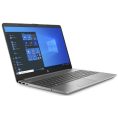


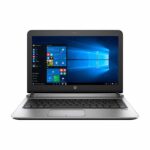
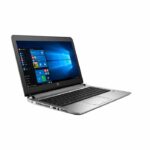
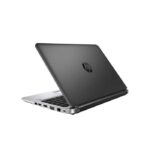
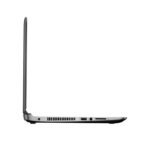
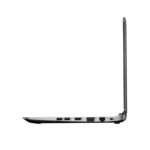
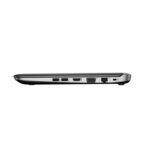
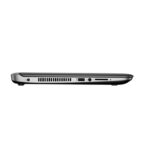
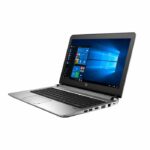


Work wherever you go without being tied down by a bulky PC with the 13.3″ ProBook 430 G5 Laptop from HP. This notebook measures less than an inch thick and only weighs around three pounds, making it easy to carry around in a backpack or briefcase. Powered by a 2.3 GHz Intel Core i5 and 8GB of 1600 MHz DDR3 RAM, the ProBook 430 G5 can efficiently multitask and quickly access frequently-used files and programs. Its 13.3″ anti-glare display, driven by integrated Intel HD graphics, has a 1366 x 768 resolution that delivers crisp and clear HD content. By using the HDMI and VGA ports, you can connect external displays for additional multitasking capabilities.
For storage, this notebook is equipped with a 128GB SSD. Because SSDs are made without any moving parts, they can endure more and perform faster than a traditional hard drive. Should you need more room, you can connect external storage devices using its multiple USB ports as well as its media card reader, which can also be used to quickly transfer files from mobile devices. Furthermore, by pairing compatible wireless peripherals using Bluetooth 4.0 technology, you can free up the USB ports for other devices. Access the Internet using 802.11a/b/g/n Wi-Fi or the Gigabit Ethernet port for a more stable and reliable wired connection. Other integrated features include a webcam, speakers, microphones, and a 3.5mm microphone and headphone combo jack. The operating system installed is Windows 10 Home (64-bit).
Intel 6th Generation Processor
Intel’s 6th generation Skylake processors are built to be more efficient than its predecessor while consuming less power. With it, you’ll have a speedy system that can handle multitasking to help you get through the workday.
Durable & Tough
The ProBook 430 G5 has passed MIL-STD 810G testing ensuring that it can withstand the tussles of everyday use.
TPM Security
With Trusted Platform Module (TPM), your files and data are protected with hardware-based encryption keys that will keep them safe and secure.
Wi-Fi & Bluetooth
Connect to the Internet using 802.11a/b/g/n Wi-Fi and pair compatible wireless peripherals using Bluetooth 4.0 technology.

Windows 10
Start Menu
After its hiatus in Windows 8, the Start Menu has returned. Utilizing a combination of the traditional menu system and Windows 8’s Live Tiles, the improved Start Menu gives you more information at a glance, showing notification information alongside your applications and other pinned items.
Cortana
Microsoft’s digital personal assistant, Cortana can answer your questions with information gleaned from both your device and the internet at large. You can type or even talk with her if your system has a microphone. Using her Laptop, Cortana keeps track of your needs and wants, and she learns over time to improve her information gathering skills.
Microsoft Edge
After nearly 20 years, Microsoft has finally replaced its Internet Explorer web browser. With Microsoft Edge, users can write directly on web pages and share notes with friends and colleagues. It also improves the online reading experience by adding a distraction-free mode and read-it-later functionality. Edge also has built-in Cortana integration; you can have her help you find a restaurant, make a reservation, and pull up directions without leaving your browser.
Windows Store
For Windows 10, Microsoft has unified the Windows Store. Now, apps for PCs, tablets, and phones will all be accessible from one place. And with support for Universal Apps, one version of an app can work across all your compatible devices automatically.
Windows Continuum
Windows 10 is designed for a variety of screen sizes and input styles, and with its Continuum feature, it automatically adapts to fit your needs. A Windows 10 tablet on its own requires a touch-centric approach, but attaching a mouse and keyboard will shift everything to a more traditional interface. You can even attach an external monitor to your Windows 10 phone for a near-desktop experience. But it’s not just the operating system; Windows Universal Apps take advantage of Continuum as well.
Xbox on Windows 10
Gaming is a big focus of Windows 10. Xbox integration allows for PC players to match up against Xbox One players on supported games, and if you have an Xbox One, you can even stream compatible titles to your PC. Native support for recording with the new Game DVR feature makes it easy to capture and share your gameplay. The new DirectX12 takes better advantage of multi-core processors, giving games a performance boost, even on older hardware. Windows 10 also features native support for virtual reality headsets, such as the Oculus Rift.


Reviews
There are no reviews yet.